Zwift teaches you how to draft and what benefits it has
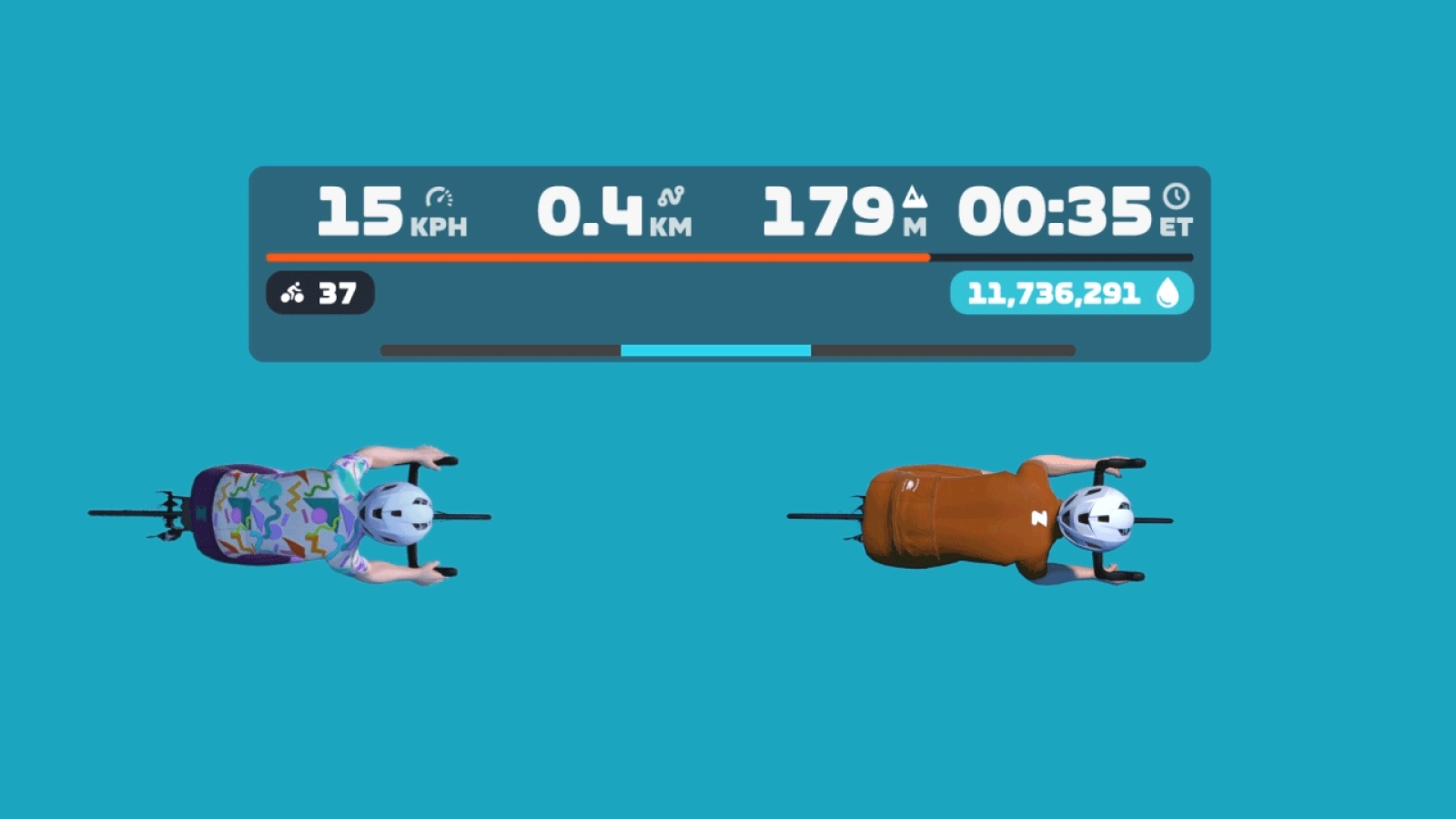
The popular virtual cycling application Zwift receives a new update that incorporates two major innovations. On one hand, the redesign of the summary screen that appears when we finish our training, and, more importantly, a new indicator for those who use the steering system that will allow us to know in which part of the peloton we are most protected from the wind.
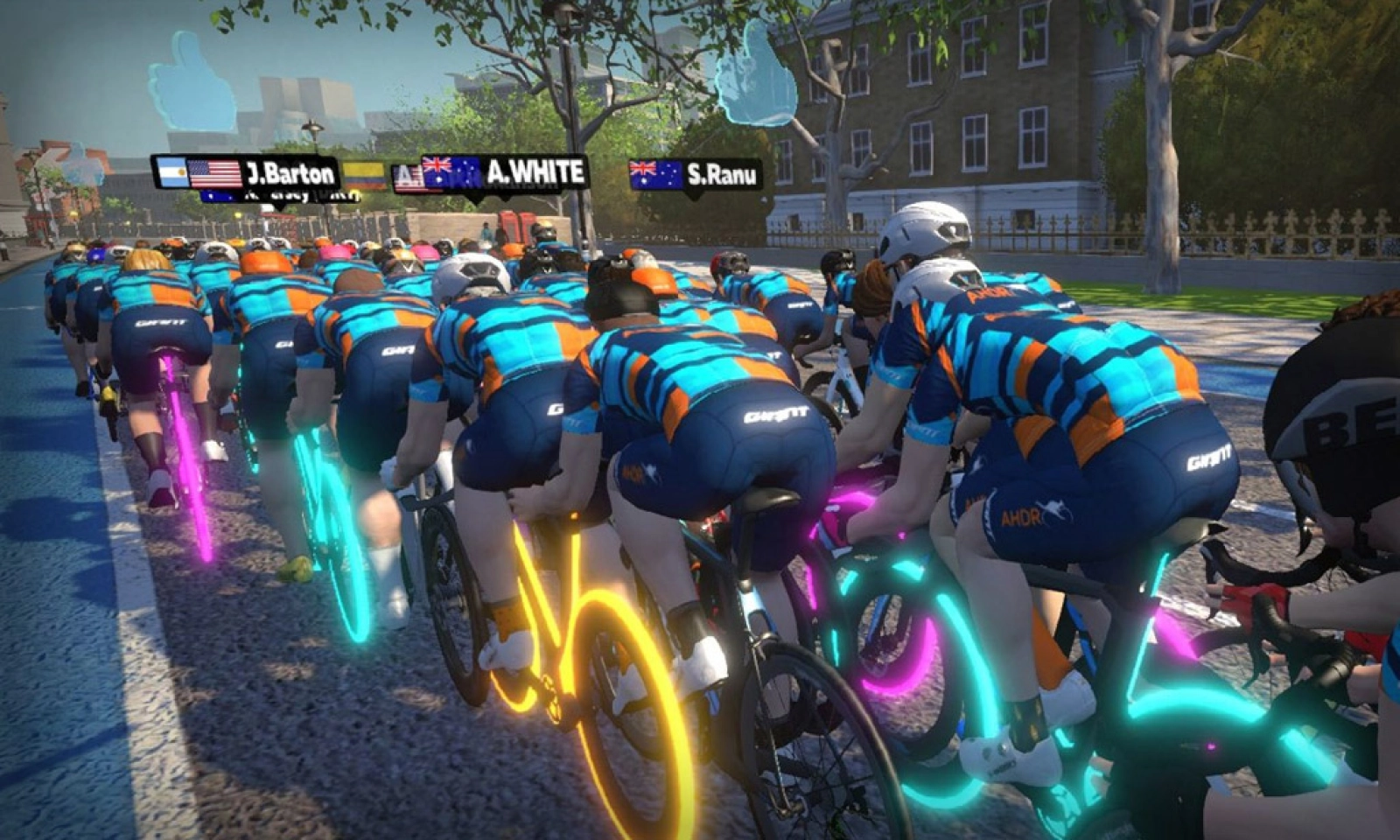
Zwift incorporates one of the most requested features by its community in its latest update
Since Zwift introduced the steering function, which allows the cyclist to steer within the route, many have started asking for some type of indication that would allow them to know in which part of the group they are most protected from the wind. Something that in the real world most do by mere instinct, although many cyclists on the road are still unable to discern the good side to position themselves, but in the application, without seeing flags or trees indicating where the wind is coming from, it becomes more complicated to achieve, and as we all know, it is essential to save maximum energy when racing at full throttle in virtual competitions.
The new Draft Indicator included in the latest Zwift update is nothing more than that, an indicator bar that grows in size the better we are positioned behind another rider to ensure that we are saving the maximum possible watts.
RECOMENDADO
Why does Pogacar always wear lace-up shoes?
Bad odors and chafing? You’re washing your cycling clothes the wrong way

The 2026 MTB World Cup kicks off in a month: dates, venues, and key highlights of the schedule
Fake stickers and illegal bikes: How the UCI monitors equipment during competitions
From steel tubes to carbon without limits: the revolution that forced the UCI to intervene
The most important information about your bike that almost no one checks
In addition to this new indicator, the new version of Zwift also brings a significant redesign of the summary screen that is displayed at the end of each training session. It is now much more comprehensive, offering much more relevant information.
Now you can see in this window data such as the progress of the weekly goals we have set, the activity streaks we have, the TSS that the training has resulted in, which, as you know, is a score that takes into account our FTP, the intensity at which we have pedaled, and the duration of the session to establish a score that defines how much stress the training has imposed on the body and, therefore, what recovery time will be necessary afterward. This information helps to establish the fitness level that is also shown to us and that Zwift qualifies as Ready, Fresh, Productive, Overreaching, or Detraining.
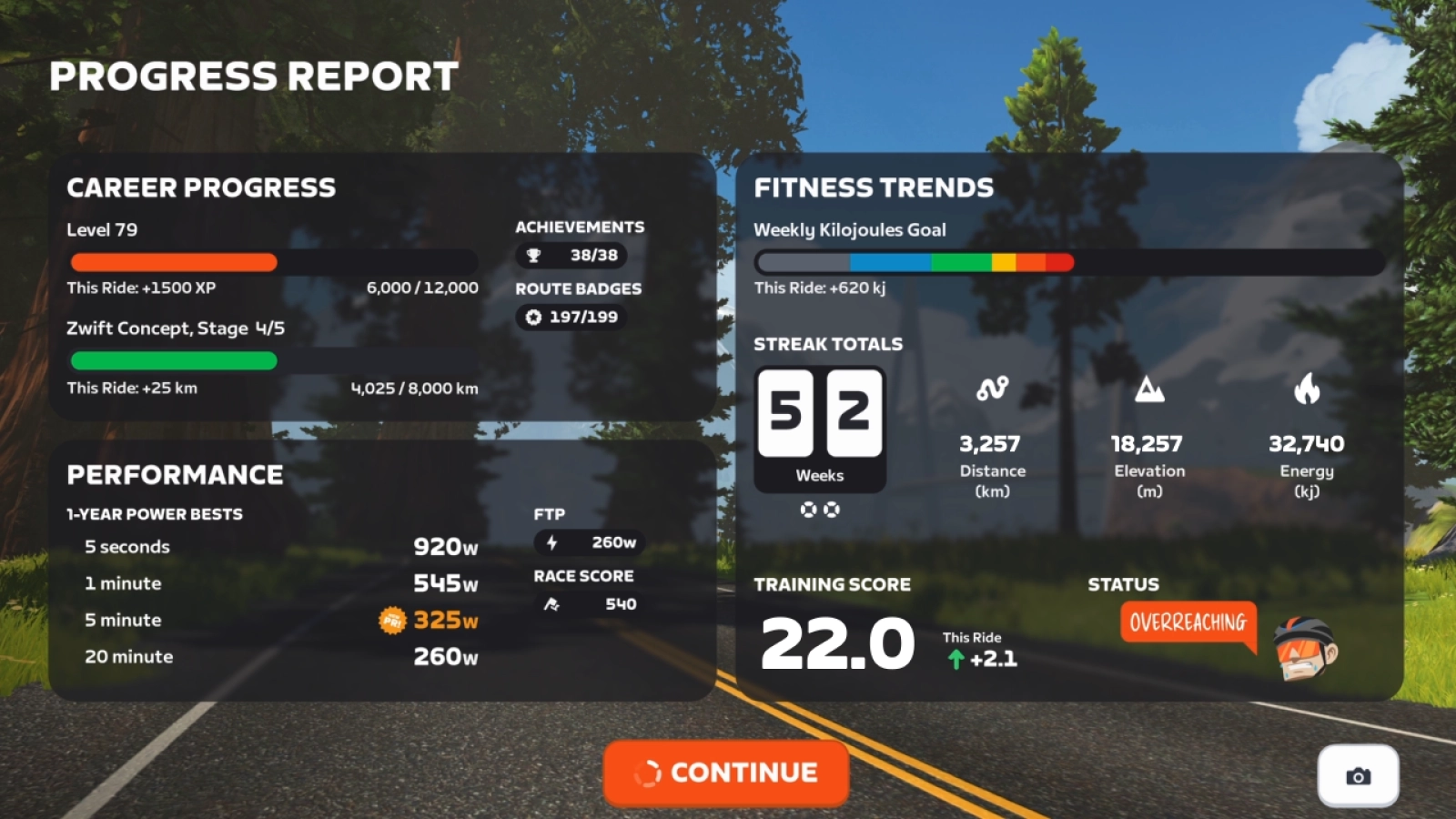
Of course, in this window, we can also have a global view of our level in Zwift, accumulated experience points, and those we need for the next level, as well as our power profile thanks to the 5-second, 1-minute, 5-minute, and 20-minute watt peaks.
An update that is already available and will be installed automatically the next time you start Zwift.
También puede interesarte
Road
Why does Pogacar always wear lace-up shoes?
Bike Equipment
Bad odors and chafing? You’re washing your cycling clothes the wrong way
Mountain bike
The 2026 MTB World Cup kicks off in a month: dates, venues, and key highlights of the schedule
Road
Fake stickers and illegal bikes: How the UCI monitors equipment during competitions
Road
From steel tubes to carbon without limits: the revolution that forced the UCI to intervene
Road